
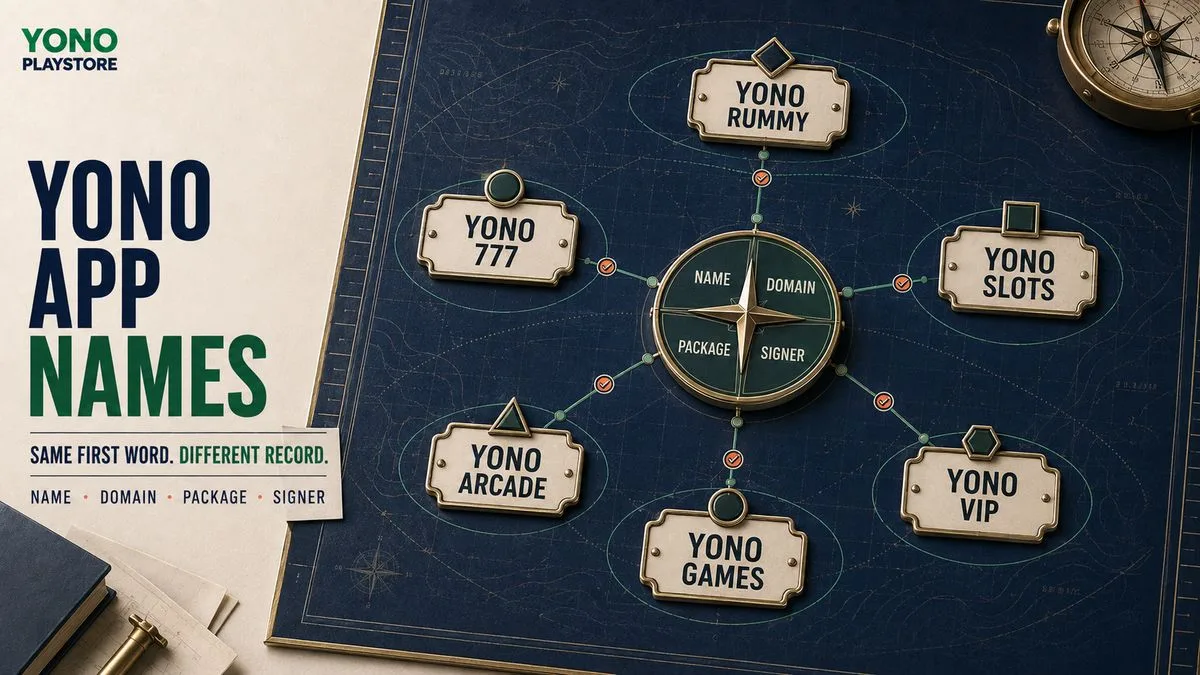
Similar Yono app names should be treated as separate identities until reliable evidence connects them. Start with the complete visible name, then compare the final domain, Android application ID or package name, signing certificate and account operator. Yono Rummy, Yono 777, Yono Slots, Yono Arcade, Yono Games and Yono VIP are not interchangeable just because they share “Yono.” An icon, colour, APK filename, referral code or repeated word is not enough to identify the correct app.
Why do so many Yono app names look related?
Short brand-style words are easy to reuse. App names often combine a shared stem with a category word, number or status term: Rummy, Slots, Arcade, Games, 777 or VIP. Search results can then place several records together even when their websites, Android packages, account systems and terms differ. Similarity may reflect a documented product family, a distributor, cross-promotion, naming convention or coincidence. The name alone does not reveal which explanation applies. That is why Yono Play Store gives each app one canonical record instead of merging every Yono-named listing into a single download page. This guide is a navigation and verification resource. It does not declare that the listed apps share an owner, and it does not certify external APKs. Its purpose is to help a visitor identify the record that matches what appears on the final website and Android installer.
Which part of a Yono app name matters most?
The whole name matters. The word after “Yono” usually carries the distinction a visitor needs:
Preserve spaces, letters and numbers when recording the name. Search engines may understand close variations, but a person verifying an app should not silently turn “Yono 777” into “777 Game,” “YN 777,” “Uono 777” or another entity. A small spelling change can lead to a different domain or Android package.
- Rummy points to a rummy or card-game record.
- Slots points to a slots-style record.
- Arcade points to an arcade or multi-game record.
- Games may describe a broader discovery or multi-game identity.
- 777 is a numeric qualifier and must not be dropped.
- VIP is a status-style qualifier, not proof of an official or premium operator.
Similar Yono apps compared
The table below organizes the site’s core records by the exact qualifier in their catalog name. It describes what each page is designed to investigate; it does not claim shared ownership. | Catalog record | Distinguishing term | Page purpose | First evidence to compare | |---|---|---|---| | Yono Rummy | Rummy | Rummy and card-game identity | Exact label, rummy-specific terms and package | | Yono 777 | 777 | Numbered arcade or multi-game identity | Complete number, final domain and signer | | Yono Slots | Slots | Slots-style app record | Installed label, balance wording and package | | Yono Arcade | Arcade | Arcade or mixed-game record | Mode list, app identity and permissions | | Yono Games | Games | Broader app-discovery record | Whether the source is one app or a directory | | Yono VIP | VIP | Account and status-style identity | Operator, account scope and privacy terms | Open the row that preserves the complete name shown by the source. If the name changes during a redirect or installation, do not force the result into the record you originally expected.
What evidence identifies the correct Yono app?
Use an evidence ladder. Start with what is easiest to observe, but make important decisions only after the stronger fields agree. ### 1. Exact app label Write down the complete name from the landing page and installer. Include every number and qualifier. This is the search and navigation layer, not final proof. ### 2. Final source domain Follow the link only far enough to note the hostname after redirects. Compare the site’s privacy policy, terms and support information. A referral parameter can attribute a visit, but it does not prove ownership, safety or identity. Use the APK source guide for a fuller redirect and publisher check. ### 3. Android application ID Every Android app has an application ID, commonly called the package name. Android’s documentation explains that this value uniquely identifies an app on the device and in Google Play. A different application ID is therefore strong evidence that two installers are different apps, even if their visible names and icons match. ### 4. Signing certificate Android APKs must be digitally signed. The signing identity supports the platform’s update model. When a supposed update changes signer, installs beside the old app or requires an unexplained uninstall, stop and investigate the change. ### 5. Operator and account identity Check which organization the privacy policy names, which service receives registration data and how an account can be closed. If one login is said to work across several apps, look for a clear description of data sharing and responsibility. ### 6. Payment and balance definitions Read what “balance,” “bonus,” “reward” and “withdrawable” mean on the specific service. Similar names do not make payment rules portable. Conditions from Yono Rummy should not be assumed to govern Yono Slots or Yono VIP.
Which signals are weak or misleading?
Some signals are useful for recognition but too easy to copy or change for identity proof:
Treat these as leads. Ask whether the final domain, operator, package and signer confirm the same story. If the stronger evidence disagrees, the familiar appearance should not overrule it.
- A green, gold or familiar-looking icon.
- The word “official” in a filename, page title or message.
- An APK filename that matches the expected app name.
- The same referral code appearing on different links.
- A matching welcome screen or game list.
- A support person claiming that two apps are connected.
- A large displayed reward, rating or download counter.
How to identify the correct Yono app in seven steps
### Step 1: Preserve the complete query Begin with the name you actually saw. If it was “Yono Arcade,” do not shorten it to “Yono app.” Exact wording helps you reach the correct canonical record. ### Step 2: Open the matching catalog record Use Yono Games as a discovery point when the name is unclear. Choose a specific record once a qualifier or number is visible. ### Step 3: Compare the external destination Before downloading, note the button’s external-link disclosure. Check the final hostname after redirects and make sure the landing page still presents the intended name. ### Step 4: Read the operator evidence Open the privacy policy, terms and support page. Record the organization or service named in each. Pause when the documents are missing, contradictory or written for a different app. ### Step 5: Compare the Android identity Check the application ID or package name and signing identity. Do not use the filename as a substitute. For an update, compare these fields with the installed version. ### Step 6: Review permissions and safeguards Keep Play Protect and Android warnings enabled. Permissions should support features you deliberately use. Contacts, SMS, accessibility, device administration, continuous location and broad storage access require clear explanations. ### Step 7: Decide: match, unresolved or mismatch Use one of three outcomes:
“Unresolved” is a valid outcome. It is more accurate than guessing from a logo or name.
- Match: the exact label, source, operator and Android identity agree.
- Unresolved: important evidence is missing or cannot yet be compared.
- Mismatch: a core identity field points to another app or service.
Stop-or-continue decision table
| Observation | Decision | Next action | |---|---|---| | Name, final domain, operator, package and signer agree | Continue to permissions and terms review | Keep a record of the source and version | | Correct name but package is different | Stop | Treat it as a separate app until explained | | Correct icon but installer label changes | Stop | Open the record matching the installed label | | Domain adds numbers or redirects elsewhere | Pause | Trace the final source and compare policies | | Package matches but signer changes on an update | Stop | Do not treat it as a routine update | | Account claims to span several apps | Pause | Find the controller, sharing terms and closure method | | Only the filename and promotional message match | Unresolved | Find stronger source and Android evidence | On mobile, present these rows as stacked cards so the observation and decision remain readable without horizontal scrolling.
What if the same Yono app has several domains?
Multiple domains can exist, but a list of similar hostnames does not establish which one is current or controlled by the same operator. Record the date, entry URL, redirect chain and final hostname. Then check whether each domain uses consistent legal documents, support identity and Android package information. Do not combine all domains into one “official source” field unless the relationship is documented. A domain may expire, redirect, change purpose or distribute a different file later. The app record should state what was observed and when, rather than turning a temporary route into a permanent claim.
What if two apps share an account or wallet?
Shared login or balance claims require explicit terms. Identify which organization controls the account, which apps can access the data, whether balances transfer, and how the user can withdraw, correct or delete information. Do not test the relationship by depositing money. Read the documents first. A shared phone number, OTP screen or support channel does not by itself prove that two balances or obligations are interchangeable.
How should Yono Play Store organize similar names for SEO?
Each exact entity should keep one canonical app page. This guide owns the informational question “how do I tell similar Yono apps apart?” Individual records own their branded identity queries. Yono Games owns broad discovery, while later comparison pages should handle specific versus searches. That separation helps users and search engines understand the site:
Avoid publishing a second post that repeats the full target of an existing app record. Strengthen the canonical page and link to this guide for the reusable verification method.
- App pages answer what is this exact record?
- This guide answers how should similar names be verified?
- Category pages answer which records fit this game type?
- Comparison pages answer how do named records differ?
Final takeaway
The correct Yono app is not identified by the word “Yono” alone. Preserve the complete name, then compare the final domain, operator, application ID, signer and account terms. Use icons, filenames and promotional messages only as starting clues. When the strong evidence does not align, stop or mark the result unresolved. Open the matching app record to review the evidence attached to that exact name.
Questions people ask
Are all Yono apps made by the same company?+
The shared word does not prove common ownership. Compare the final domain, named operator, Android application ID, signer and account terms for each app.
How can I identify the correct Yono app?+
Preserve the complete name, open the matching record and confirm the final source, operator, package and signing identity. Treat missing evidence as unresolved.
Can two Yono apps use the same icon?+
Similar or matching icons are possible and do not establish identity. The application ID and signer are stronger technical evidence.
Is an APK filename enough to identify an app?+
No. A file can be renamed. Check what the installer displays and compare its package, signer and source.
Does “VIP” or “official” prove that an app is authentic?+
No. Those words can be used in names and marketing. They need support from consistent operator, domain and Android evidence.
What should I do when a Yono app name changes during installation?+
Stop and treat the installed label as a mismatch. Open the matching record or wait until the relationship is documented before proceeding.
This guide explains a verification method. It does not certify every APK, publisher, account, reward, payment or legal status. Apply the checks to the current app and source.